Author: adminafiq

  • Connecting My Website to MySQL Database

    Connecting My Website to MySQL Database

    For my CPCS403 portfolio project, I connected my website to a MySQL database using PHP. This part of the project helped me understand how a website can store, retrieve, and display data dynamically.

    Why I Used MySQL

    MySQL was used to store important website data, such as feedback form submissions and project records. Instead of writing all data directly inside the HTML page, the website can fetch data from the database and display it through PHP.

    Database Tables
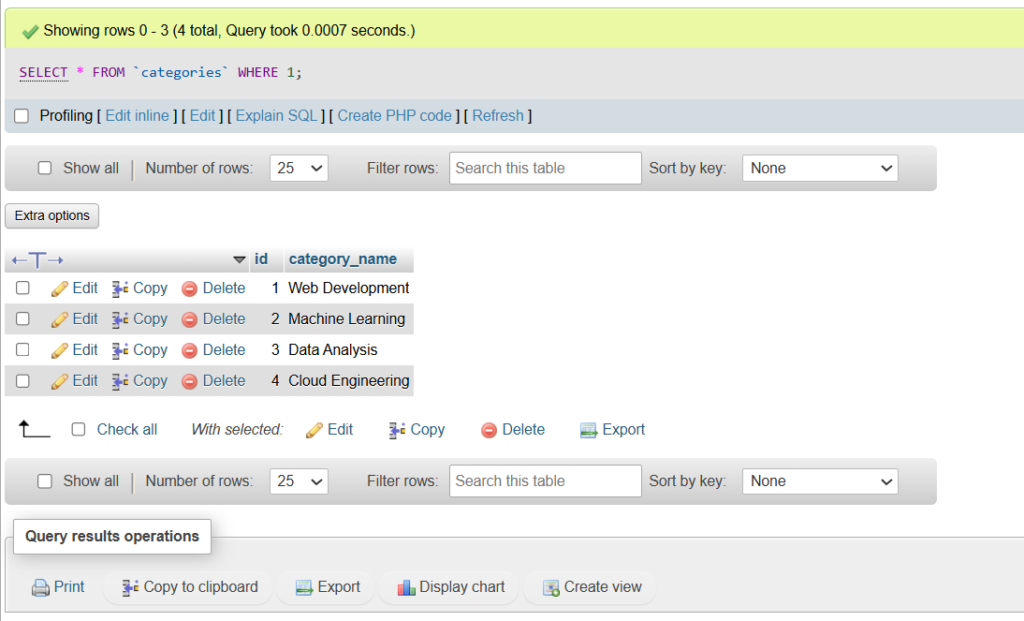
    The project includes a feedback table for storing user feedback. It also includes two related tables, categories and projects, which are used to display project records on the database page.

    Using SQL JOIN

    The database page uses an SQL JOIN query to connect the projects table with the categories table. This allows each project to be displayed together with its related category.

    A good database makes a website more useful, organized, and dynamic.

    Conclusion

    This part of the project helped me practice database connection, server-side processing, and data display using PHP and MySQL. It also showed me how important databases are in real web applications.


  • Using PHP Includes in My Website

    Using PHP Includes in My Website

    Why I Used PHP Includes

    Using PHP includes made the website easier to manage. Instead of rewriting the same code on every page, I only created the header, nav, and footer once, then included them where needed.

    Benefits

    • Keeps the layout consistent across all pages
    • Makes the code easier to maintain
    • Reduces repeated code
    • Saves time when editing shared sections
    • Improves project organization

    Example in My Project

    In my project, all pages such as Home, Gallery, Feedback, Resume, Contact, and Database use the same header, navigation bar, and footer. If I update the navigation menu in one file, the change appears on all pages automatically.

    Conclusion

    Overall, PHP includes were very useful in my portfolio website. They helped me keep the website neat, consistent, and easier to update. It is a simple but important technique in web development.

  • Building My CPCS403 Portfolio Website

    Building My CPCS403 Portfolio Website

    For my CPCS403 Internet Application Programming final project, I created a personal portfolio website. The main goal of this project was to practice the web development skills learned in the course and apply them in a complete website.

    The website includes several pages such as Home, Gallery, Video, Feedback, Schedule, Resume, Contact, Database, and Skills. I used PHP for the website pages and includes, CSS for the design, JavaScript for interaction and validation, and MySQL for storing feedback and project data.

    One important part of this project was organizing the website files into proper folders. I used separate folders for pages, includes, CSS files, JavaScript files, images, documents, and database configuration. This made the project easier to manage and update.

    I also uploaded the website to online hosting using Namecheap, so it can be accessed from a real domain. This helped me understand the full process of building a web application, starting from local development with Laragon and ending with publishing the website online.

  • Hello world!

    Welcome to WordPress. This is your first post. Edit or delete it, then start writing!